
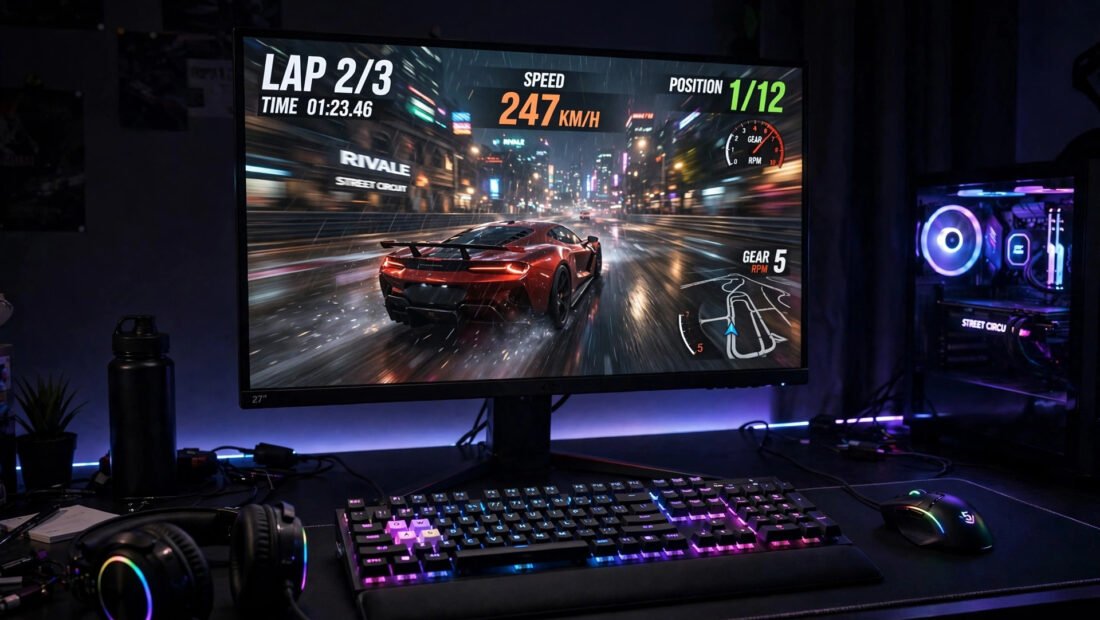
30fps, 60fps, 120fps, 240Hz — gaming conversations are full of numbers that supposedly matter enormously, yet nobody ever explains what they mean from scratch. Salespeople upsell 144Hz monitors, console boxes boast “up to 120fps,” and players argue online about differences half of them cannot see. Strip away the marketing and the tribalism, and frame rates are genuinely simple — and genuinely important to how games feel.
This guide explains frame rates from absolute zero: what FPS means, the key thresholds, what your eyes can actually perceive, and how to get smoother gameplay whatever you play on.
What Frame Rate Actually Is
A frame rate is how many individual images (frames) your device produces per second — FPS (frames per second). Games are not continuous motion; they are rapid slideshows. At 30fps you see 30 images per second; at 60fps, 60. Your brain stitches them into perceived motion. Higher frame rates mean more visual information per second: smoother motion, less blur, and — critically for gaming — less delay between your input and what you see.
Two related numbers get confused with FPS. Refresh rate (Hz) is how many times your display can redraw per second — a 60Hz TV cannot show more than 60fps no matter what the console outputs. Input lag is the delay between pressing a button and the action appearing; higher frame rates reduce it. For the full picture, all three matter — but FPS is the foundation.
The Key Thresholds: 30, 60, 120
30fps: the cinematic baseline
The traditional console standard and the frame rate of most films (24fps). At 30fps, games look fine in slow scenes but motion blurs and controls feel slightly sluggish in fast action. Many story-driven games still target 30fps on consoles to allow richer graphics — a legitimate trade-off, not a failure.
60fps: the sweet spot
Twice the temporal information of 30fps: dramatically smoother, more responsive, and the standard competitive baseline. Most gamers consider 60fps the point where games “feel right.” The jump from 30 to 60 is the single biggest perceptible upgrade in gaming smoothness.
120fps and beyond: diminishing returns
Noticeable to many players (especially in fast shooters), but the 60→120 jump is far subtler than 30→60. Above 120fps, differences are marginal for all but professional esports players — and demand serious hardware. Do not pay a premium for 240Hz unless you compete.
Can eyes even see above 60fps? The old “human eye sees 30fps” claim is nonsense — vision does not work in frames. People reliably distinguish 60 from 120fps in blind tests; above ~150fps, differences become very hard to detect. Your eyes are analogue; the numbers just describe how finely motion is sampled.
Frame Rate vs Graphics: The Eternal Trade-Off
Your hardware has a fixed budget: it can spend it on prettier pixels (resolution, ray tracing, detail) or more of them per second (frame rate). This is why modern consoles offer “performance mode” (60fps+, lower resolution) and “quality/fidelity mode” (30fps, maximum visuals). Neither is objectively correct — it is taste. Fast competitive games demand performance mode; slow cinematic adventures shine in quality mode.
PC gamers get granular control: lowering resolution, shadows and anti-aliasing buys frames. The golden rule: a stable frame rate beats a higher unstable one — a locked 60fps feels better than 80fps that stutters to 40. Enable V-Sync, G-Sync or FreeSync (matching output to your display) to eliminate screen tearing, the ugly horizontal splits of mismatched rates. Which? tests monitors and TVs for gaming performance including refresh rates and input lag.
Getting Smoother Gameplay on Your Setup
Console players
Use performance mode in game settings; enable 120Hz output in system settings if your TV supports it (check — many do not); use your TV’s game mode (it disables processing that adds lag); and connect via HDMI directly rather than through old receivers. Note the running cost too — higher frame rates draw more power; see how much electricity a games console uses per hour.
PC players
Update GPU drivers, lower the most expensive settings first (shadows, volumetric effects, ray tracing), cap frame rates at your monitor’s refresh rate to avoid wasted effort, and close background apps. If your hardware is old, even modest upgrades (an SSD, more RAM) smooth out stutters.
Everyone
Match your expectations to your display: a 60Hz screen makes 120fps output pointless. And remember that stable 30fps in a beautiful game beats unstable 60fps in an ugly one — numbers serve the experience, not the other way round. If you are still choosing hardware, read whether a Nintendo Switch is worth it for casual gaming for the casual end of the spectrum. BBC gaming coverage and Ofcom research both track how the UK actually plays.
Frame Rate Myths, Busted
“The human eye can’t see above 30fps”
False, and one of gaming’s most persistent myths. Vision does not capture “frames” — it is a continuous analogue process. Controlled tests show people reliably distinguishing 120fps from 60fps, and fighter pilots have identified aircraft in single frames flashed at 1/220th of a second. The eye’s limits are far above 30fps.
“Higher fps always looks better”
Not if the frame pacing is uneven. A locked, consistent 60fps feels smoother than a juddering 90fps that swings between 50 and 120. Consistency (frame time) matters as much as the headline number — this is why “1% lows” (the worst-performing frames) are the metric enthusiasts actually watch.
“You need an expensive monitor to benefit”
You need a monitor whose refresh rate matches your target — a decent 144Hz monitor now costs little more than a 60Hz one did years ago. But pairing a 240Hz display with hardware that outputs 60fps gains you nothing; balance the system, do not max one component.
“Films at 24fps prove 30fps is enough for games”
Films use motion blur (each frame captures 1/48th of a second of motion) to smooth the judder; games render instant snapshots with no natural blur. Interactive content needs higher frame rates because you are controlling the camera — the responsiveness difference is felt, not just seen.
The Future: Frame Generation and Beyond
The newest battleground is AI frame generation: the GPU renders real frames and AI synthesises intermediate ones, potentially doubling perceived fps. It is genuinely impressive — and genuinely controversial, because generated frames add latency and can introduce artefacts. For single-player cinematic games it is transformative; for competitive shooters, many players disable it.
Meanwhile, display technology marches on: 240Hz and even 500Hz monitors exist for esports professionals, and OLED panels’ near-instant response times make motion clearer at any frame rate. But the fundamentals in this guide do not change: match output to display, prefer stable over peak, and spend your money where your eyes will notice.
Conclusion
Frame rate is how many images your device shows per second: 30fps is the cinematic baseline, 60fps is the responsiveness sweet spot, and 120fps+ offers diminishing returns for most players. Match output to your display’s refresh rate, prefer stable over peak numbers, use performance modes for fast games, and remember the eternal trade-off with graphical fidelity. Understand the numbers and the marketing loses its power over your wallet.
Frequently Asked Questions
Is 60fps noticeably better than 30fps?
Yes — dramatically. It is the single biggest smoothness upgrade in gaming: motion is clearer, controls feel more responsive, and fast games become far more playable.
Can the human eye see more than 60fps?
Yes. The “30fps limit” is a myth — vision is analogue, not framed. Most people can distinguish 60 from 120fps; differences above ~150fps become very hard to perceive.
Should I choose performance mode or quality mode?
Performance mode (higher fps) for fast, competitive or action games; quality mode (better graphics, 30fps) for slow, cinematic, story-driven games. It is personal taste, not a correct answer.
Why does my game stutter even at high fps?
Usually frame-time inconsistency (some frames take much longer than others), background processes, thermal throttling, or a CPU bottleneck. A stable locked 60fps feels smoother than an unstable 90fps.


