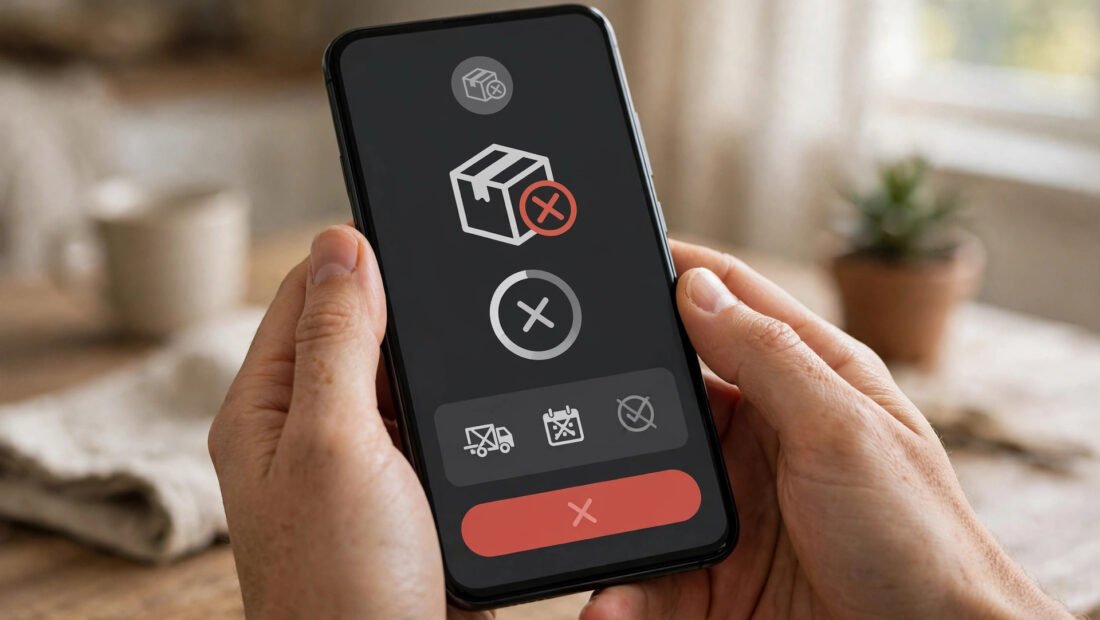
To cancel a Depop order, open the app, go to your receipt, tap the three dots, and select “Cancel order” — but you can only do this before the seller ships the item. If the seller has already dispatched it, you’ll need to message them to agree a return instead. Buyers can cancel unshipped orders for a full refund, while sellers can cancel from their sold-items screen, though frequent cancellations hurt your seller rating.
Cancelling a Depop order is straightforward, but the rules differ depending on whether you’re the buyer or the seller — and timing is everything. This guide covers how to cancel a Depop order step by step, what happens to your money, and what to do when the cancel button isn’t available.
How to Cancel a Depop Order as a Buyer
If you’ve changed your mind and the seller hasn’t shipped yet, cancelling takes seconds:
- Open the Depop app and tap your profile icon.
- Go to your receipts (the receipt/inbox icon) and find the order.
- Tap the three dots in the corner of the receipt.
- Select “Cancel order” and confirm.
You’ll receive a full refund to your original payment method, usually within 3–5 working days. Depop also recommends messaging the seller first as a courtesy — most sellers appreciate a quick heads-up and it keeps your buyer reputation clean.
How to Cancel a Depop Order as a Seller
Sellers sometimes need to cancel — the item is damaged, lost, or already sold elsewhere. To cancel:
- Go to your profile and open your sold items.
- Find the order and tap the three dots.
- Select “Cancel sale” and choose a reason.
The buyer is refunded automatically. However, be aware that Depop tracks seller cancellations: frequent cancellations lower your standing in search results and can lead to account warnings. If you regularly can’t fulfil orders, it’s better to pause listings than to keep cancelling. Always message the buyer promptly with an apology — good communication often prevents negative reviews.
What to Do If the Item Has Already Shipped
Once an order is marked as shipped, the cancel button disappears. At this point you have two options. First, message the seller immediately — if the parcel hasn’t left yet, they may be able to intercept it or agree to a return on arrival. Second, if the item arrives, you can request a return through the app, though the seller isn’t obliged to accept returns for change-of-mind purchases.
If the item arrives faulty, misdescribed, or never arrives at all, you’re protected: open a dispute through Depop’s resolution centre. Depop’s buyer protection covers items paid for through the app’s checkout — never pay sellers off-platform via bank transfer, as you lose all protection.
Refunds: How Long They Take
Cancelled Depop orders are refunded to the original payment method — not as Depop credit. Refunds typically land within 3–5 working days for UK bank cards, though some banks take up to 10 days to show the credit. PayPal refunds are usually faster, often within 24–48 hours.
If a refund hasn’t appeared after 10 working days, check with your bank first (pending transactions sometimes hide in statements), then contact Depop support through the app’s help centre with your order details. Keep screenshots of the cancellation confirmation as evidence.
Depop Cancellation Rules Worth Knowing
- Buyers can cancel any time before dispatch for a full, automatic refund.
- Sellers can cancel unshipped sales, but repeated cancellations damage your account standing.
- After shipping, cancellation isn’t possible — you’ll need to arrange a return by agreement.
- Depop fees (the 10% selling fee) are refunded to the seller when an order is cancelled.
- Off-platform payments have zero protection — always pay through Depop checkout.
If a seller refuses to cancel or refund and the item hasn’t shipped, you can escalate through Depop support. For persistent problems with a transaction, UK consumers also have rights under the Consumer Contracts Regulations for online purchases — the gov.uk website explains your rights when buying online.
How to Avoid Needing to Cancel in the First Place
Most Depop cancellations happen because of impulse buying or misread listings — both avoidable. Before tapping buy, check the seller’s reviews and response rate, read the full description including measurements, and compare the photos against the item title. If anything’s unclear, message the seller first; a legitimate seller answers quickly.
Sellers can reduce cancellations by keeping listings accurate and up to date: remove sold items promptly, mark measurements clearly, and ship within the timeframe you promise. Enabling instant responses to common questions also helps — buyers who get quick answers rarely change their minds. A little diligence on both sides keeps the marketplace running smoothly.
Frequently Asked Questions
Can I cancel a Depop order after it’s been shipped?
No — the cancel option disappears once the seller marks the order as shipped. You’ll need to message the seller to arrange a return, or wait for delivery and request one through the app.
Do I get a full refund if I cancel a Depop order?
Yes. Cancelled orders are refunded in full to your original payment method, typically within 3–5 working days. This applies whether the buyer or seller initiates the cancellation.
Can a seller cancel my Depop order?
Yes, sellers can cancel unshipped orders from their sold-items screen. You’ll be refunded automatically and notified. If a seller cancels repeatedly or without good reason, you can report them to Depop.
What happens if the seller won’t respond to my cancellation request?
If the order hasn’t shipped, cancel it yourself through the app — you don’t need the seller’s permission. If it has shipped and the seller ignores you, wait for delivery, then open a dispute via Depop’s resolution centre.
Conclusion
Cancelling a Depop order is quick and painless as long as the item hasn’t shipped — buyers cancel from the receipt screen, sellers from sold items, and refunds follow automatically. Act fast, communicate politely, and always keep transactions inside the app so Depop’s buyer protection covers you.