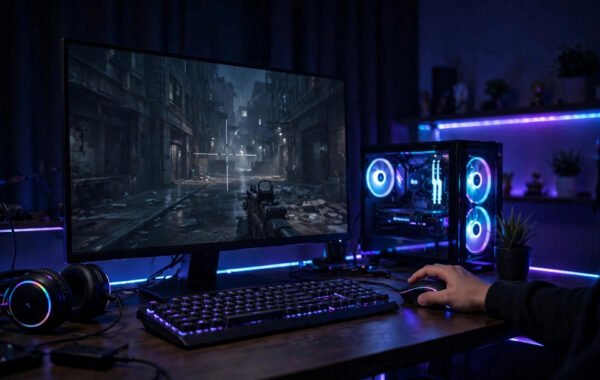
Building your first gaming PC feels like defusing a bomb while reading instructions in another language. Motherboards, sockets, wattages, DDR5 — the jargon wall is enormous, and the fear of wasting £600 on incompatible parts is real. But here is the secret the PC gaming community sometimes forgets to mention: building a PC in 2026 is essentially expensive Lego. The parts only fit where they are supposed to go, and the whole process takes an afternoon.
This guide gives London beginners a budget-first path to a first gaming PC: how much to spend, where the money goes, the parts to pick, and the mistakes that waste beginners’ money.
How Much Should a Beginner Spend?
The budget sweet spot for a first gaming PC in the UK is £600–£800. Below £500, you make painful compromises that age badly; above £900, you are paying for performance beginners cannot yet appreciate. At £700, you can build a machine that plays modern games at 1080p high settings at 60fps — which is genuinely excellent gaming, whatever the 4K marketing tells you.
Budget rule of thumb: roughly 40% on the graphics card (GPU), 20% on the processor (CPU), and the rest spread across motherboard, memory, storage, power supply, and case. The GPU determines gaming performance more than everything else combined — a £700 build with a strong GPU and modest CPU will game better than a £700 build with the money spread evenly. Do not forget peripherals in the total: if you need a monitor, keyboard, and mouse too, budget £150–£200 extra or hunt the second-hand market.
The Parts, Explained Without Jargon
GPU (graphics card): the engine of gaming performance. For budget 1080p gaming, look at cards like AMD’s RX 7600 or Nvidia’s RTX 4060 — both regularly available around £250–£280 and superb at 1080p. Buy new for the warranty; GPUs are the one part where used carries real risk.
CPU (processor): the brain. A mid-range chip like AMD’s Ryzen 5 5600 or 7600 (£110–£170) is plenty — gaming barely stresses modern CPUs, so do not overspend here. Motherboard: must match your CPU’s socket (AM4 or AM5 for AMD). A basic B550/B650 board (£90–£130) has everything a beginner needs. RAM: 16GB is the gaming standard; 32GB is nice but unnecessary at this budget. Storage: a 1TB NVMe SSD (£55–£70) — non-negotiable in 2026; games on old hard drives load painfully. Power supply (PSU): 550–650W from a reputable brand with an 80+ Bronze rating or better. Never cheap out on the PSU — a bad one can kill every other part. Case: any with decent airflow and space for your GPU; £50–£70 is fine.
Where Beginners Waste Money
The classic budget killers: overspending on the CPU while starving the GPU (the single most common beginner error); buying a flashy case with terrible airflow; paying extra for RAM speeds that make no real-world difference; and — the big one — buying more PC than their monitor can show. A machine capable of 144fps is wasted on a 60Hz office monitor; match your build to your display.
Also: Windows licences. A legitimate Windows 11 licence costs around £100+, which stings on a budget build. Options include running unactivated Windows (legal, with minor limitations and a watermark), or buying from legitimate retailers during sales. Factor it into the budget rather than discovering it at the end. And check how much electricity gaming hardware uses — a gaming PC draws considerably more power than a console, which matters with UK energy prices. If you are torn between platforms entirely, our take on whether a Nintendo Switch is worth it for casual gaming covers the simpler end of the spectrum.
Compatibility: The Only Scary Part, Made Simple
Use PCPartPicker’s UK site (pcpartpicker.com) — it automatically flags incompatible parts and finds the cheapest UK retailers. The three compatibility rules: CPU socket must match the motherboard socket; RAM generation (DDR4 vs DDR5) must match what the motherboard supports; and the case must physically fit the GPU (check the GPU length against the case’s maximum).
Buy from established UK retailers — Scan, Overclockers UK, CCL, Box, and Amazon UK — for proper Distance Selling Regulations protection and straightforward returns. Avoid marketplace sellers for core components. Prices fluctuate, so use price-tracking and be ready to pounce on GPU sales; graphics cards see the biggest discounts.
The Build: An Afternoon, Not an Ordeal
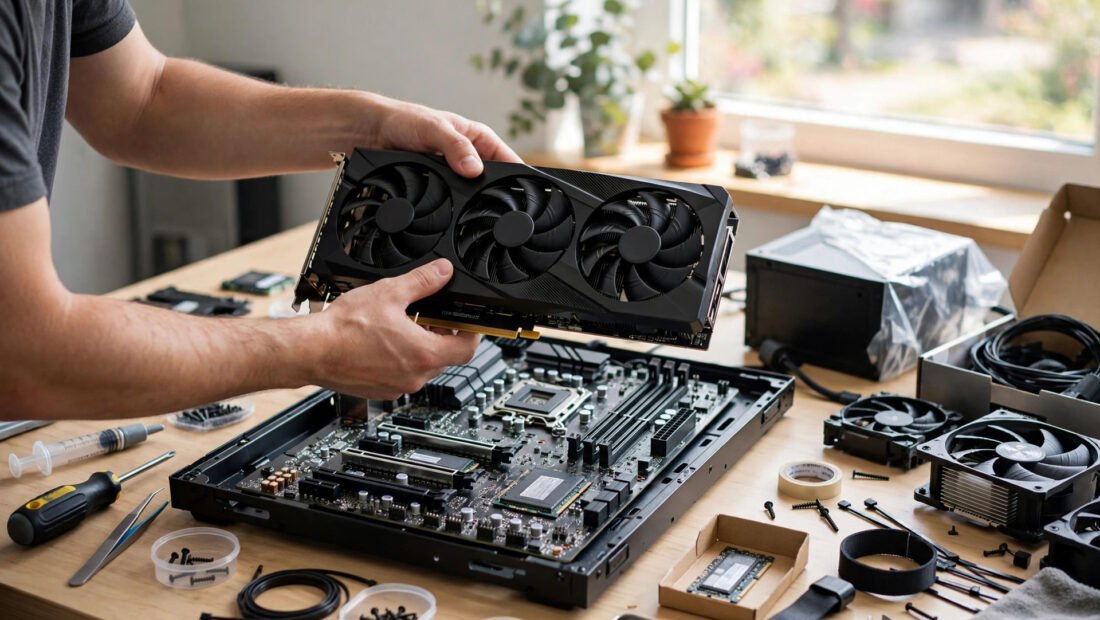
The actual assembly: mount the CPU, cooler, and RAM on the motherboard first (outside the case, on the motherboard box); install the motherboard in the case; add the PSU and route cables; slot in the GPU; connect storage. Every connector is shaped to fit only one way — if it does not fit, do not force it. The genuinely fiddly bits are the tiny front-panel connectors (power button, LEDs); your motherboard manual diagrams them clearly.
Budget 3–4 hours for a first build, most of it reading the manual and double-checking. Watch one full build video with your exact case type beforehand. When it posts to BIOS on the first try — and it usually does — the feeling is worth every anxious moment. Install Windows from a USB stick (Microsoft’s Media Creation Tool is free), update drivers from the GPU manufacturer’s site, and you are gaming.
Upgrading Later: The Real Advantage of Building
The deepest value of building your own PC is not the first build — it is every upgrade after. In two to three years, when new games demand more, you will not need a new machine: a single GPU swap (often the only upgrade that matters for gaming) takes twenty minutes and costs half a new system. Compare that with consoles, where the only upgrade path is buying an entirely new box.
Plan for upgradability from the start: choose a motherboard with room for more RAM, a PSU with 100W more headroom than you need today, and a case with space for longer GPUs. These choices cost little now and save hundreds later. Keep your boxes and manuals — resale values for used PC parts are strong in the UK, and selling your old GPU funds much of the new one. The second-hand market (CeX, eBay, r/HardwareSwapUK) is also a legitimate upgrade path for patient buyers. Your first build is the beginning of a platform, not a finished product — and that platform thinking is what makes PC gaming cheaper than consoles over a five-year horizon, despite the higher entry price.
Conclusion: Just Build It
A £600–£800 budget, a GPU-first parts list, PCPartPicker for compatibility, reputable UK retailers, and one careful afternoon — that is the whole formula. Your first gaming PC will not just play games better than a console at the same price; it will teach you a practical skill, upgrade cheaply for years (a GPU swap in three years beats buying a whole new machine), and give you the quiet pride of having built the thing yourself. When you eventually upgrade, Recycle Your Electricals shows where to responsibly recycle old components in the UK, and BBC Technology news is worth following for hardware launches and price shifts. The jargon wall looks intimidating from the outside. From the inside, it is Lego.
Frequently Asked Questions
How much does it cost to build a gaming PC in the UK?
£600–£800 is the sweet spot for 1080p high-settings gaming at 60fps. Below £500 compromises too much; above £900 buys performance most beginners will not notice. Add £150–£200 if you also need monitor, keyboard, and mouse.
Is it hard to build a PC for the first time?
No — it is often compared to Lego because parts only fit where they belong. Budget 3–4 hours, follow the motherboard manual, watch one build video first, and use PCPartPicker to guarantee compatibility.
Should I buy a prebuilt PC instead?
Prebuilts cost £100–£200 more for equivalent parts but remove all risk and effort, with a single warranty. If the building process itself does not appeal to you, a well-reviewed prebuilt from a UK system builder is a sensible choice.
What is the most important part of a gaming PC?
The graphics card (GPU) — it determines gaming performance more than everything else combined. Allocate roughly 40% of your budget to it and do not starve it to afford a fancier CPU or case.